
QR Code Scans Analytics
Gain deep insights with professional analytics. Track scans by city, device type, and time of day to optimize your marketing spend and increase conversions.
 Huong PhamUpdated 2026-10-20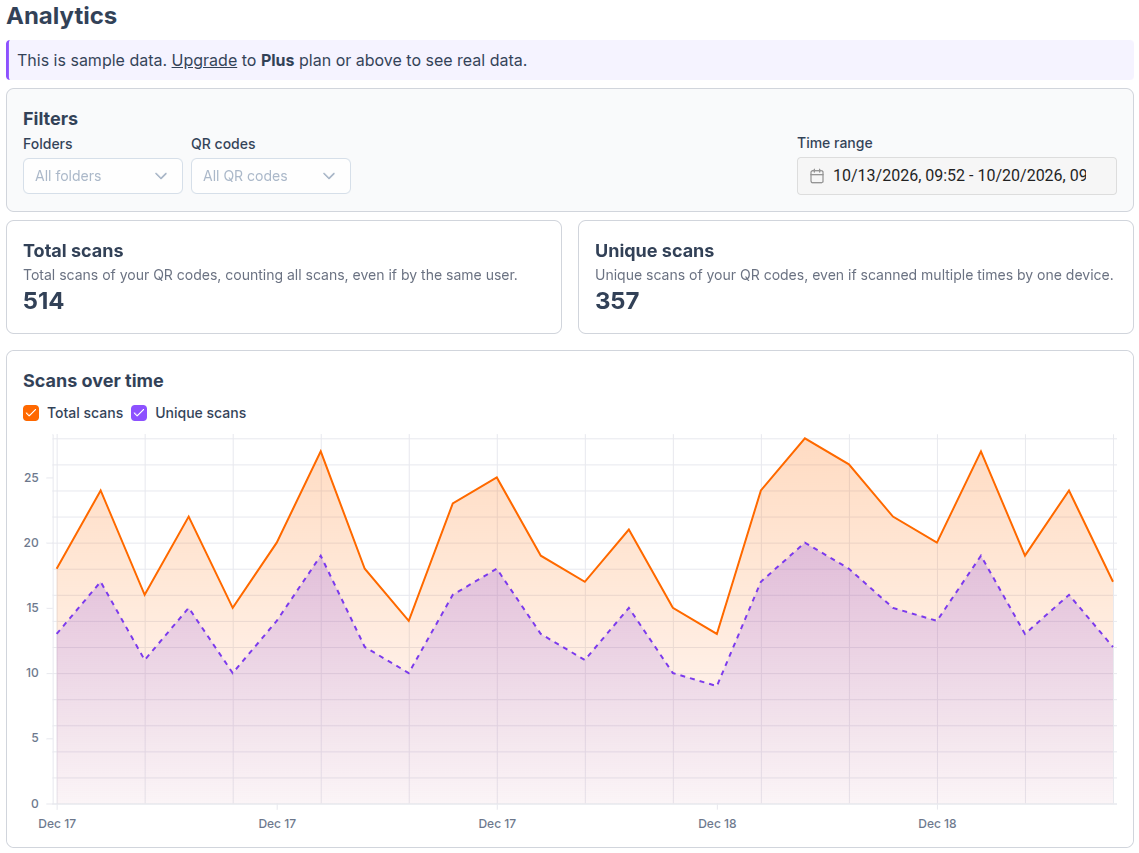
What data provided by QR code analytics?
- Location tracking: Discover exactly where your audience is by tracking the city and country of each scan.
- Device & OS insights: Understand your audience better by knowing if they use iOS, Android, or desktop devices.
- Time & date analysis: Identify peak engagement times by viewing scan activity trends over hours, days, or months.
- Unique vs. Total scans: Differentiate between the total number of scans and the number of unique people scanning.
Benefits of getting QR analytics
- Real-time scan analytics: See scan counts update instantly as users interact with your focused campaigns.
- Export reports: Export detailed scan reports in CSV format for further analysis or to share with your team.
FAQs
Is it free to track QR code scans?
Yes. Tracking QR code scans is available for free, for all ZodQR users. Free users can see total scans of all time for each QR code. Paid users get detailed analytics. Visit our pricing page to get more info.
What data can I track with dynamic QR codes?
You can track the total number of scans, unique visitors, scan locations (city/country), time and date of scans, and the device/OS used.
Is the tracking data real-time?
No. It will take some time for scans data to sync. Total scans of each QR code is delayed upto 15 minutes. Advanced analytics is delayed upto 30 seconds.
Can I track static QR codes?
No, tracking is only available for dynamic QR codes because they redirect through our servers to capture analytics before reaching the destination.
Can I view analytics for multiple QR codes?
Yes, visit the Analytics dashboard to see combined stats for all your QR codes, helpful for comparing campaigns.
Can I export my analytics reports?
Absolutely. You can export detailed scan reports in CSV or PDF formats for further analysis or to share with your team.